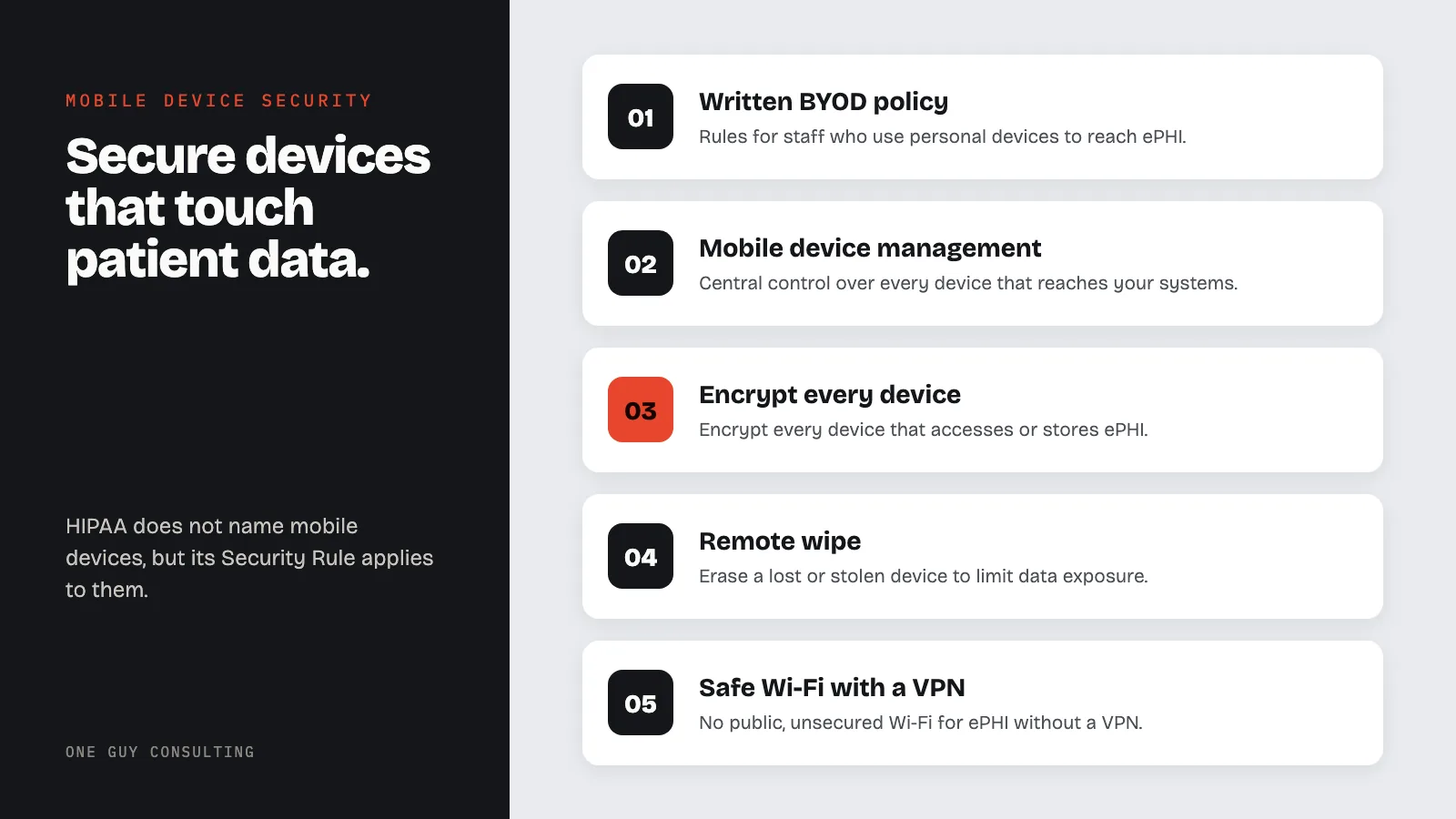
To secure phones, tablets, and laptops that touch patient data, a practice should use a written BYOD policy, mobile device management (MDM) software, device encryption, strong passcodes, remote wipe, and safe Wi-Fi with a VPN. HIPAA does not name mobile devices, but its Security Rule rules on access control, encryption, and device controls apply to them.
Mobile Device Security in Healthcare Settings
Key Definitions
- MDM (Mobile Device Management): Software that gives an organization centralized control over mobile devices that access its systems, including the ability to enforce security policies, track compliance status, and remotely wipe data.
- BYOD (Bring Your Own Device): A policy that allows employees to use their personal smartphones, tablets, or laptops for work purposes, including accessing ePHI.
- ePHI (Electronic Protected Health Information): Individually identifiable health information created, received, maintained, or transmitted in electronic form. Defined at 45 CFR 160.103.
- Remote Wipe: A command sent over the network that deletes data from a lost or stolen device. Can be full (erases everything) or selective (removes only work data).
- Containerization: A method of separating work data from personal data on a mobile device by placing work apps and data inside an encrypted container that the organization controls.
- Device Encryption (Full-Disk Encryption): Encryption applied to the entire storage of a device, making all data unreadable without the correct passcode or key. Built into iOS (default when passcode set), Android (file-based encryption), Windows (BitLocker), and macOS (FileVault).
- App-Level Encryption: Encryption applied within a specific application, protecting only the data that app stores, independent of whether the device itself is encrypted.
Mobile Devices in Healthcare
Mobile device security is one of the biggest challenges in healthcare compliance. Smartphones, tablets, and laptops are part of daily clinical work. Providers use them to access patient records, message care teams, and manage schedules.
This convenience creates real risk. Lost and stolen devices have caused large HIPAA breaches. Some settlements have reached millions of dollars.
This guide covers the key parts of a healthcare mobile security program: from BYOD policies to remote wipe to encryption requirements. Practices use these steps to strengthen their HIPAA Security Rule compliance.
HIPAA Mobile Device Requirements
HIPAA does not mention "mobile devices" by name. But several Security Rule standards apply directly to any device that accesses, stores, or transmits ePHI. These are the specific requirements that govern mobile device use in healthcare.
| Requirement | CFR Citation | What It Means for Mobile Devices |
|---|---|---|
| Device and Media Controls | 45 CFR 164.310(d)(1) | You must have policies for the receipt, removal, movement, and disposal of hardware and electronic media containing ePHI. This includes mobile devices. When an employee leaves or a device is decommissioned, you must account for the ePHI on it. |
| Access Control | 45 CFR 164.312(a)(1) | Technical policies and procedures must allow only authorized persons to access ePHI. On mobile devices, this means passcode requirements, auto-lock timeouts, and user authentication before accessing clinical apps. |
| Encryption and Decryption | 45 CFR 164.312(a)(2)(iv) | This is an addressable spec. That means you must use encryption if it is reasonable and appropriate for your practice, or write down why not and use an equal alternative. For mobile devices, full-disk encryption is the usual way to meet it, and it should be turned on and verified. If a lost device was encrypted the way HHS guidance describes, the breach safe harbor may apply. |
| Person or Entity Authentication | 45 CFR 164.312(d) | You must verify the identity of anyone seeking access to ePHI. On mobile devices, this means biometric authentication, strong passcodes, or MFA before accessing systems containing patient data. |
| Transmission Security | 45 CFR 164.312(e)(1) | Technical measures must guard against unauthorized access to ePHI during electronic transmission. Mobile devices connecting over Wi-Fi or cellular networks should use encrypted connections (TLS 1.2+, VPN). Encryption in transit is an addressable spec under 164.312(e)(2)(ii). |
BYOD Policies for Healthcare Organizations
Establishing Clear Boundaries
A bring-your-own-device (BYOD) policy sets the rules for employees who use personal devices to access ePHI (electronic protected health information). Without a formal policy, your practice has no enforceable security standards. You also have no signed consent from staff to wipe data from their own devices.
An effective BYOD policy must address these items.
- Eligible devices: Which device types and OS versions are allowed.
- Minimum security rules: encryption (scrambling data so it cannot be read without the correct key), passcode strength, OS updates, and patch levels.
- Acceptable use: Which resources can be accessed from personal devices.
- Privacy expectations: What your practice can see on personal devices.
- Data separation: How work and personal data are kept apart.
- Exit steps: What happens to work data when an employee leaves.
- Signed acknowledgment: Employees must sign the policy before enrolling their devices.
Alternatives to BYOD
Some practices decide the risks of BYOD outweigh the benefits. They choose other approaches instead.
- Corporate-owned, personally enabled (COPE): The practice provides the device but allows limited personal use.
- Corporate-owned, business-only (COBO): The practice provides devices strictly for work.
- Virtual desktop (VDI): Staff access work resources through a virtual setting. No ePHI is stored on the personal device.
Each approach has trade-offs in cost, staff satisfaction, and security. Weigh your risk tolerance, team needs, and budget before choosing.
BYOD Policy Essentials Checklist
If your practice allows personal devices to access ePHI, your BYOD policy should address each of these items. Each one supports your duties under 45 CFR 164.310(d)(1) (Device and Media Controls) and 45 CFR 164.312(a)(1) (Access Control).
- Acceptable use: Define exactly which systems, apps, and data types can be accessed from personal devices. Prohibit storing ePHI in personal cloud accounts, notes apps, or unmanaged messaging apps.
- Required security configurations: Minimum OS version, automatic updates enabled, passcode of at least 6 characters (alphanumeric preferred), biometric authentication enabled, auto-lock timeout of 2-5 minutes maximum.
- Remote wipe consent: Employees must agree in writing that the organization can remotely wipe work data (selective wipe) or the full device (if containerization is not used) in the event of loss, theft, or termination.
- Personal/work data separation: Require containerization or managed app profiles to keep work data encrypted and separate from personal data. Block copy/paste and data sharing between managed (work) and unmanaged (personal) apps.
- Prohibited apps: Identify categories of apps that cannot be installed on devices with ePHI access: jailbreak/root tools, unapproved messaging apps, file-sharing apps that bypass encryption.
- Lost device reporting: Staff must report a lost or stolen device within a specific timeframe (for example, the same business day). Delayed reporting increases ePHI exposure and complicates breach assessment.
- Offboarding procedure: On or before the employee's last day, selective wipe of work data, MDM unenrollment, and access revocation must be completed and documented.
- Signed acknowledgment: Every employee using a personal device must sign the BYOD policy before enrollment. Keep signed copies for your compliance records.
Mobile Device Management (MDM) Solutions
Core MDM Capabilities
Mobile device management (MDM) gives you central control over all devices that access your systems. MDM is the technical backbone of any mobile security program. It enforces BYOD policies and security standards at scale.
Key MDM capabilities include these features.
- Device enrollment: Automated setup of security settings, email, Wi-Fi, and VPN when a device is enrolled.
- Policy enforcement: Automatic enforcement of encryption, passcode strength, and OS version rules.
- App management: Control over which apps can be installed and how data moves between managed and unmanaged apps.
- Compliance tracking: Real-time visibility into device status, with automatic fixes or access blocks for non-compliant devices.
- Inventory tracking: A full view of all enrolled devices, their configurations, and compliance status.
- Reporting: Dashboards and reports for compliance audits and security tracking.
Selecting an MDM Solution
When comparing MDM solutions, healthcare practices should prioritize these features.
- HIPAA compliance features including encryption enforcement, audit logging, and data loss prevention.
- Multi-platform support for iOS, Android, Windows, and macOS.
- Integration with your identity providers, EHR systems, and security tools.
- Good user experience that reduces friction for clinicians and staff.
- Scalability to support your current and future device counts.
- Vendor track record in healthcare and willingness to sign a business associate agreement (BAA), the contract that holds vendors accountable for protecting PHI.
Remote Wipe Capabilities
Protecting ePHI on Lost or Stolen Devices
Remote wipe is one of the most important mobile security tools. When a device with ePHI is lost or stolen, a remote erase (a command sent over the network that deletes all data from the device) can limit how much data is exposed. Encryption is what can bring the incident under the HIPAA breach safe harbor, so use both.
Remote wipe options include these choices.
- Full device wipe: Erases all data and returns the device to factory settings. Use this for corporate-owned devices.
- Selective wipe: Removes only work data and apps, leaving personal data intact. Use this for BYOD devices.
- App-level wipe: Removes data from specific managed apps without touching other data.
Set clear steps for when and how to start a remote wipe.
- Immediate wipe triggers: Device reported stolen, employee fired for cause, or device hit by malware.
- Delayed wipe triggers: Device reported lost (allow a grace period), or employee resignation (wipe at separation date).
- Authorization rules: Define who can start a remote wipe and what approvals are needed.
Ensuring Wipe Effectiveness
Remote wipe only works when certain conditions are met. Check these before an incident happens.
- The device must be on and connected to a network to receive the wipe command.
- MDM enrollment must be active and locked so users cannot remove it.
- Encryption must be on so data stays unreadable even if the wipe command is delayed.
- Your practice needs a backup plan for devices that cannot be reached for remote wipe.
Encryption Requirements for Mobile Devices
Mobile encryption standards are part of the broader HIPAA encryption requirements for 2026. A proposed update to the Security Rule, published in January 2025, would make encryption required instead of addressable. That update is still a proposal, not law.
Device-Level Encryption
Every device that accesses or stores ePHI should be encrypted. Modern mobile operating systems have built-in encryption your practice should use.
- iOS devices: Hardware encryption turns on by default when a passcode is set.
- Android devices: File-based encryption is on by default on modern devices. Verify this through MDM policies.
- Windows laptops: Enable and enforce BitLocker through group policy or MDM.
- macOS laptops: Enable and enforce FileVault through MDM.
MDM should check encryption status as a compliance rule. Block access to work resources from any unencrypted device. See our guide on HIPAA encryption requirements for more detail.
Application and Data Encryption
Device-level encryption is not enough on its own. Add these extra layers of protection.
- App-level encryption for healthcare apps that store ePHI locally.
- Transport encryption (TLS 1.2+) for all data sent between mobile devices and your systems.
- Encrypted containers to separate and protect work data on BYOD devices.
- Encrypted backups so device backups stored in cloud services stay protected.
Device-Level Encryption vs. App-Level Encryption
| Factor | Device-Level Encryption | App-Level Encryption |
|---|---|---|
| What It Protects | All data on the device storage | Only data within the specific encrypted app |
| Protection When Device Is Off | Yes, data is encrypted at rest when device is powered off or locked | Yes, app data remains encrypted regardless of device state |
| Protection When Device Is Unlocked | No, data is decrypted and accessible once the device is unlocked | Yes, app data stays encrypted until the app itself is authenticated |
| HIPAA Safe Harbor | If encrypted the way HHS guidance describes (it points to NIST standards) and the device is locked at time of loss, the breach safe harbor under 45 CFR 164.402 may apply | Protects only the data within that app; other ePHI on the device may still be exposed |
| Implementation | Built into iOS (default with passcode), Android (file-based), Windows (BitLocker), macOS (FileVault) | Requires each app to implement its own encryption; varies by vendor |
| MDM Enforcement | MDM can verify and enforce device encryption as a compliance requirement | MDM can deploy and configure apps but cannot verify internal app encryption |
| BYOD Consideration | Encrypts the entire device including personal data; some employees may object | Encrypts only work data; personal data is not affected |
| Best Practice | Use as the baseline for all devices accessing ePHI | Add as an additional layer on top of device encryption for apps storing ePHI locally |
Application Management and Security
Controlling the App Ecosystem
Unmanaged apps can expose weak points, leak ePHI, or open attack paths. Your practice should control which apps staff use for work and how data moves between them.
App management practices include these steps.
- App whitelisting: Keep a list of approved apps for accessing work resources.
- App blacklisting: Block known-risky apps from managed devices.
- Managed app setup: Pre-configure approved apps with security settings and work credentials.
- Data loss prevention: Block copy/paste, screenshots, and data sharing from managed to unmanaged apps.
- App updates: Enforce timely app updates to patch security weak points.
Provide approved tools for common needs like messaging and video calls. When clinicians lack approved tools, they use consumer apps with no ePHI protection.
Wi-Fi Security and Network Protection
Securing Wireless Connections
Mobile devices connect to wireless networks constantly. Unsecured Wi-Fi is a major attack path. Address Wi-Fi security both in the office and in remote settings.
In-office Wi-Fi security measures include the following.
- WPA3 or WPA2-Enterprise encryption for all work wireless networks.
- Network segmentation that puts clinical devices, guest devices, and IoT medical devices on separate network segments.
- Certificate-based authentication for devices that connect to networks with ePHI access.
- Rogue access point detection to spot unapproved wireless access points.
Remote and off-site Wi-Fi security includes the following.
- VPN rules for accessing work resources from any outside network.
- Wi-Fi security policies that ban the use of public, unsecured Wi-Fi for accessing ePHI without a VPN.
- Automatic VPN connection set up through MDM to activate whenever a device joins a non-work network.
- Staff training on the risks of public Wi-Fi and the need for VPN use.
Physical Security of Mobile Devices
Preventing Loss and Theft
Technical controls are essential, but physical security is the first line of defense. Train staff on device protection and put physical security steps in place.
Physical security practices include these measures.
- Screen lock rules: Maximum 2-5 minute timeout before the device requires re-login.
- Secure storage: Locked storage areas for devices not in active use, especially in clinical settings.
- Cable locks: Physical tethering for laptops and tablets used in shared clinical spaces.
- Location tracking: Enable device location services to help recover lost devices.
- Signage and awareness: Post reminders in clinical areas about device security and reporting lost devices fast.
- Incident reporting: Clear, simple steps for reporting lost or stolen devices without fear of blame.
Fast reporting of lost devices is key. A blame-free culture gets reports in faster. This shrinks the window of possible ePHI exposure and makes breach response easier.
Mobile Device Security FAQ
Are personal smartphones allowed to access ePHI under HIPAA?
HIPAA does not ban personal devices for accessing ePHI. Your practice must still put protections in place. That means steps such as a formal BYOD policy, MDM enrollment, device encryption, strong access controls, and the ability to remotely wipe work data.
What should we do if a device containing ePHI is lost?
Start your incident response steps right away. Try to locate the device, then start a remote wipe if you cannot recover it quickly. Check whether the device was encrypted the way HHS guidance describes, and whether the passcode or key was kept safe.
If it was, the data counts as "secured" under 45 CFR 164.402, so breach notice may not be needed. If it was not encrypted, the loss is presumed to be a breach unless a risk assessment shows a low probability that the data was compromised.
Is MDM required for HIPAA compliance?
HIPAA does not name MDM as a specific rule. But its technical safeguards apply to ePHI on mobile devices. MDM is a common way to enforce encryption, manage access, enable remote wipe, and track compliance.
Practices without MDM may find it harder to show they have enough mobile protections.
How do we handle mobile devices when an employee leaves?
On or before the employee's last day, start a selective wipe of work data from personal devices enrolled in MDM. For corporate-owned devices, do a full wipe and return it to inventory. Remove the employee's access to all work systems right away, and record the offboarding steps for your compliance records.
What are the biggest mobile security threats in healthcare?
The main threats are device loss and theft, phishing via text or email, malicious apps, unsecured Wi-Fi, outdated operating systems, and insider misuse. Address all of these with technical controls, policy enforcement, and ongoing staff training. See our guide on healthcare data breach prevention for a broader view.
Mobile Security Takeaways
Mobile device security in healthcare needs a full approach covering policies, technology, and human behavior. Practices should set clear BYOD policies, deploy MDM, enforce encryption, enable remote wipe, manage apps, and secure wireless connections. Each element connects to the others.
A weak spot in any area puts your entire mobile security posture at risk. Address them all together for the strongest protection.
One Guy Consulting gives healthcare practices software and a step-by-step process for HIPAA compliance. The Full-Scope plan includes a Security Risk Assessment tool, policy and procedure templates, staff training, and 1:1 implementation calls with Chuck. Contact us to get started.
BYOD vs Corporate Device: HIPAA Compliance Comparison
| Factor | BYOD (Personal Device) | Corporate-Owned Device |
|---|---|---|
| MDM Control | Limited (employee privacy concerns) | Full device management |
| Encryption Enforcement | Policy-dependent, hard to verify | Enforced at provisioning |
| Remote Wipe | Selective wipe only (legal risk) | Full device wipe available |
| App Management | Cannot restrict personal apps | Whitelist/blacklist enforced |
| Termination | Must retrieve or wipe company data only | Return device and decommission |
| Cost | Lower (employee owns hardware) | Higher (organization purchases) |
| Compliance Risk | Higher (less control) | Lower (full control) |
Why encryption matters: HIPAA's breach notice rules apply to "unsecured" PHI. PHI encrypted the way HHS guidance describes counts as secured (45 CFR 164.402). So if a lost device was encrypted that way and the key was not exposed, patient notice may not be needed. A lost unencrypted device is presumed to be a breach unless a risk assessment shows a low probability that the data was compromised.
Sources
- 45 CFR 164.310(d)(1): Device and Media Controls
- 45 CFR 164.312(a)(2)(iv): Encryption and Decryption
- NIST SP 800-124 Rev. 2: Guidelines for Managing the Security of Mobile Devices in the Enterprise
- HHS Security Rule Guidance
Related Reading
Try three One Guy Consulting 3D staff training courses free →