HHS has proposed seven big changes to the HIPAA Security Rule: required MFA, required encryption, a risk analysis every 12 months, a list of your technology and a network map, restoring systems within 72 hours, yearly compliance audits, and yearly written checks from vendors. None of it is final yet. HHS now aims to finish it in July 2027.
Important Disclaimer
These changes are based on the Notice of Proposed Rulemaking (NPRM) published in the Federal Register on January 6, 2025. As of August 2026, the final rule has not been published. HHS now targets July 2027 for it. Requirements may change in the final version. Nothing in this article should be construed as legal advice.
Key Definitions
- NPRM (Notice of Proposed Rulemaking): A formal proposal published in the Federal Register that describes a rule the agency intends to adopt. It invites public comment before finalization.
- ePHI (Electronic Protected Health Information): Any protected health information that is created, stored, transmitted, or received in electronic form. Defined in 45 CFR 160.103.
- MFA (Multi-Factor Authentication): An access control method requiring two or more verification factors: something you know (password), something you have (authenticator app or hardware key), or something you are (biometric).
- Encryption at Rest: Protecting stored data by converting it into unreadable code. Applies to servers, laptops, backup drives, USB devices, and cloud storage containing ePHI.
- Encryption in Transit: Protecting data as it moves across networks using protocols such as TLS. Applies to email, EHR data transfers, and any network communication containing ePHI.
- Network Segmentation: Dividing a computer network into separate zones so that a breach in one segment does not automatically expose systems in another.
- Patch Management: The process of regularly updating software and systems to fix known security vulnerabilities. The NPRM would require documented patch management procedures.
The HIPAA Security Rule last saw a major update in 2013. In cybersecurity terms, that feels like a geological era. At that time, iPhones did not have fingerprint readers. Ransomware was still a curiosity, not the major threat it poses to healthcare today. Most practices were still learning how to go paperless.
NPRM Timeline
| December 27, 2024 | HHS announces proposed Security Rule overhaul |
| January 6, 2025 | NPRM published in the Federal Register |
| March 7, 2025 | 60-day comment period closed |
| About 4,745 comments | Submitted by industry groups, providers, and associations |
| July 2027 (HHS target) | Final rule publication (a target only; the earlier May 2026 target slipped) |
| 240 days after final rule | Proposed compliance deadline for all covered entities and business associates |
On December 27, 2024, HHS announced the largest proposed overhaul of the Security Rule to date. The Notice of Proposed Rulemaking (NPRM) appeared in the Federal Register on January 6, 2025. The 60-day comment period closed March 7, 2025, with about 4,745 comments submitted. HHS first planned to finish the proposed rule in May 2026. That date has slipped to July 2027.
If a final rule is published, you would get about 240 days to comply. That is 60 days until it takes effect, then 180 more days. If it lands in July 2027, your deadline would fall around early 2028.
That is not a lot of time for what they are asking.
The Headline Change: Addressable Is Dead
If you have spent time with HIPAA compliance, you know the difference between required and addressable implementation specifications. Required means you do it. Addressable means you assess whether it is reasonable and appropriate for your practice.
In theory, addressable meant flexibility. In practice, it became a loophole. Many practices wrote that encryption or automatic logoff was not reasonable for their situation and moved on. OCR saw this pattern across years of enforcement actions and breach investigations. We explain why this matters in our deep dive on why addressable does not mean optional.
The proposed rule would end the required/addressable split entirely. Every safeguard would become required, with only a few narrow, clearly defined exceptions. If a safeguard is in the final rule, you would have to put it in place.
This single change cascades through everything else in the rule.
The 7 Major HIPAA Security Rule Changes You Need to Know
1. MFA Required for All ePHI Access, With Few Exceptions
Current Requirement: The current Security Rule does not mention MFA. It says you must check that each person opening ePHI is who they claim to be (45 CFR 164.312(d)). How you check is up to you.
Proposed Change: MFA would become required for all ePHI access. There would be only a few exceptions, and no break for small practices.
Compliance Action Required (if finalized): Turn on MFA for every system that holds ePHI: EHR, email, billing software, cloud storage. Authenticator apps (Microsoft Authenticator, Google Authenticator, Duo) are a stronger choice than text-message codes.
MFA would change from a best practice to a legal requirement. Under the proposed rule, every system that holds digital health data would need MFA to log in. That covers remote and in-office logins, clinical staff, and admin staff. The proposal has no exception for small practices.
MFA means at least two of: something you know (password), something you have (authenticator app, hardware key), or something you are (fingerprint, face scan). SMS-based codes technically qualify but are the weakest option. SIM-swapping attacks have made them unreliable. Authenticator apps like Microsoft Authenticator, Google Authenticator, or Duo are the stronger choice. The proposed rule defines MFA the same way: at least two of those three kinds of factors.
Here is the number that should convince anyone still on the fence: Microsoft has reported that MFA can block over 99.9% of account compromise attacks. Those are attacks where someone breaks into an account. The federal cybersecurity agency explains how MFA works in its CISA MFA guidance.
What this means for you: if anyone in your practice opens ePHI with just a username and password today, that would be a gap if this rule takes effect. We wrote a full setup walkthrough in our plain-English MFA guide.
2. Encryption Required: At Rest and In Transit
Current Requirement: Encryption is addressable. Organizations can document compensating controls if they determine encryption is not reasonable.
Proposed Change: Encryption would be required for all ePHI at rest and in transit. There would be a few narrow exceptions, such as a system that cannot support encryption. In that case you would write down the backup safeguards you use instead (called compensating controls).
Compliance Action Required (if finalized): Encrypt all servers, workstations, laptops, backup drives, USB drives, and cloud storage. Ensure all network transmissions of ePHI use TLS or equivalent encryption.
Under the proposal, encryption of ePHI would no longer be addressable, meaning optional if you write down why (see our detailed guide on encryption standards under the proposed Security Rule). It would be required for stored data and for data being sent. Data at rest includes servers, workstations, laptops, backup drives, USB drives, and cloud storage. Data in transit means data moving across any network.
The data-being-sent piece is where many practices have gaps. If your practice emails patient records without encryption, that would break the rule. If your EHR sends data to a clearinghouse over an unencrypted connection, that would break the rule. If a staff member texts patient information without encryption, that would break the rule.
Some exceptions may apply when encryption is not possible. The practice would have to write down the backup safeguards it uses instead (compensating controls). Meeting that exception will be difficult.
3. Risk Analysis Every 12 Months, With Teeth
Current Requirement: Risk analysis is required (45 CFR 164.308(a)(1)(ii)(A)) but no specific frequency is mandated.
Proposed Change: The NPRM would require a complete risk analysis every 12 months, with specific documentation requirements for the technology asset inventory, network map, and threat assessment.
Compliance Action Required (if finalized): Establish a 12-month risk analysis cycle with written records of all identified threats, vulnerability levels, and existing controls for each risk.
The current rule requires a risk analysis but does not specify frequency. Most practices do one when they start and update it now and then. The proposed rule would change that. And OCR is already cracking down on incomplete risk analyses.
Every 12 months, you would need to complete:
- A complete risk analysis identifying all reasonably anticipated threats
- A review and update of your technology asset list
- A review and update of your network map
- Written records of every identified threat and weak spot with an assessed risk level
- An assessment of existing controls against each identified risk
This is not checking boxes on a template. The NPRM would require the risk analysis to reflect your actual setting: your systems, your vendors, the threats you face. A cookie-cutter risk analysis that does not name your practice's real systems would not pass.
4. Technology Asset Inventory and Network Mapping
Current Requirement: No specific asset inventory or network mapping requirement exists in the current Security Rule.
Proposed Change: The NPRM would require a written technology asset inventory and a network map showing how ePHI moves through systems. Both would need to be reviewed and updated every 12 months.
Compliance Action Required (if finalized): Document every device, system, and application that touches ePHI. Create a diagram showing ePHI data flows including business associate connections.
Two new documentation rules would support the risk analysis:
Technology asset list: Written records identifying every technology asset that creates, receives, maintains, or transmits ePHI. Each entry would list where the item is, who is responsible for it, and its current version. Reviewed and updated at least every 12 months.
Network map: A diagram showing how ePHI moves through your digital systems: how it comes in, goes out, and is reached from outside. It would also need to include technology your business associates use. It would be reviewed once a year too.
A five-physician medical practice might find this manageable. A hospital system with thousands of devices faces a much larger documentation challenge. Either way, you cannot do it in a weekend.
5. 72-Hour System Restoration After a Cyberattack
Current Requirement: The current rule requires a contingency plan (45 CFR 164.308(a)(7)) but does not specify a restoration timeframe.
Proposed Change: The NPRM would require documented procedures to restore critical systems within 72 hours of a disruption, plus an analysis of system criticality to determine restoration priority.
Compliance Action Required (if finalized): Develop and test a recovery plan with a 72-hour restoration target. Conduct recovery drills and document results.
The proposed rule would require written steps to restore critical digital information systems and data within 72 hours of a disruption. You would also need to figure out which systems are most critical, so you know what to restore first.
This is a direct response to the ransomware epidemic. When Change Healthcare went down in February 2024, claims processing across the country ground to a halt for weeks. In the end it affected 192.7 million people and cost UnitedHealth Group billions of dollars. When hospitals get hit with ransomware, patient care suffers. HHS would want proof that you can get back on your feet in three days.
Meeting this proposed rule means tested backups, documented recovery steps, and actually running recovery drills. A backup you have never tested is not a backup. If you want to know what the first three days after an attack actually look like, read our ransomware response guide.
6. Annual Compliance Audits
Current Requirement: The current rule requires evaluation (45 CFR 164.308(a)(8)) but does not mandate annual audits or specify audit scope.
Proposed Change: The NPRM would require a formal annual compliance audit assessing conformity with the Security Rule, separate from the risk analysis.
Compliance Action Required (if finalized): Conduct an annual audit of whether your organization is actually following its own policies and meeting Security Rule requirements. Document findings.
The proposed rule would require an annual compliance audit assessing conformity with the Security Rule. This is separate from the risk analysis. The risk analysis asks: what threats exist? The compliance audit asks: are we actually doing what we are supposed to?
Some practices already run informal self-checks. This would make the process formal. It would also create written records that OCR can ask for during an investigation.
7. Business Associates Must Verify Compliance Annually
Current Requirement: Business associates must comply with the Security Rule and maintain BAAs (45 CFR 164.308(b)), but there is no annual verification mandate.
Proposed Change: The NPRM would require BAs to confirm in writing each year that required safeguards are in place. A subject matter expert would do the analysis behind it. Someone with authority at the BA would certify it. A 24-hour notification requirement would apply when a BA activates disaster recovery.
Compliance Action Required (if finalized): Build an annual BA verification process into your vendor management program. Update BAAs to include the 24-hour disaster recovery notification clause.
Business associates would face clearer duties under the proposed rule:
- Annual written verification: Every 12 months, BAs would need to provide written confirmation that the required technical safeguards are in place. These are the rule's tech security measures. A subject matter expert would prepare the analysis. Someone with authority at the BA would then certify that it is accurate. A generic "we are HIPAA compliant" letter would not satisfy this.
- 24-hour disaster recovery notice: If a BA activates their disaster recovery or business continuity plan in a way that affects your ePHI, they would need to notify you within 24 hours.
If you have 15 business associates, that is 15 annual verifications you need to collect, review, and file. Start building that into your vendor management process now. And make sure you are not making the common BAA mistakes that trip up many practices.
How Much Will HIPAA Security Rule Compliance Cost?
HHS estimates first-year compliance costs at about $9 billion across the industry. After that, it expects about $6 billion a year in years two through five. That is about $33 billion over five years.
Those are industry-wide numbers. What does it mean for an individual practice?
For a small practice that already has MFA, encryption, and a current risk analysis, the added cost may be modest. It is mostly paperwork, the asset list, and updated BAAs.
For a practice that has been skating by with minimal tech protections, the cost is significantly higher. Deploying MFA across all systems, encrypting all endpoints, implementing network segmentation, and building a written recovery plan adds up. How much depends on practice size and existing systems.
Industry groups, including CHIME, have pushed back hard on the cost, especially for smaller practices. HHS admits the cost is real. But it says the rules are needed because healthcare security failures are so widespread. At least 710 large breaches were reported to HHS in 2025. They affected tens of millions of people.
Do not count on outside money to cover this. The expense comes from your operating budget. But consider the alternative: the average healthcare data breach cost $9.77 million in 2024, and HIPAA fines rise with inflation. Today the yearly cap for repeats of the same violation is $2,190,294. Compliance is the cheaper option.
What This Means for Small Practices
If you run a small practice (a few physicians, one office manager handling compliance, a limited IT budget), these proposed changes can feel overwhelming. Here is a plain-language breakdown of what each major change would mean for a practice your size, if finalized:
- MFA everywhere: Every person who logs into your EHR, email, or billing system would need a second verification step. Most EHR platforms already support this. The cost is minimal: authenticator apps are free. The effort is training your staff to use it.
- Full encryption: Every laptop, desktop, and USB drive in your office that touches patient data would need to be encrypted. Most modern operating systems include built-in encryption (BitLocker on Windows, FileVault on Mac). The gap is usually old machines and portable devices.
- Annual risk analysis: You would need a documented review of your specific threats and vulnerabilities every year. Not a generic checklist, but one that names your actual systems and vendors. This is where a structured risk assessment process pays for itself.
- Asset inventory: You would need to list every device and system that touches ePHI, including that old printer in the back office. For a small practice, this might be 15-30 items. Manageable, but it must be written down and updated annually.
- 72-hour recovery: If ransomware hits, can you be back up in three days? For small practices, this usually means cloud-based backups and a written plan for what to restore first. Test the backup at least once before you need it.
- Vendor verification: Your business associates (EHR vendor, billing company, IT support, shredding service) would each need to provide annual written proof of their security controls. Start asking now so it is not a scramble later.
The good news: most of these steps are things a well-run small practice should already be doing. The proposed rule would formalize them and remove the gray area. If you start now, you will be ahead regardless of when the final rule lands.
The Political Variable
One important caveat: this NPRM was published in the final days of the Biden administration. The current administration has the authority to modify, delay, or withdraw the proposed rule; the 2027 timeline slip covers where that stands.
So far, HHS has delayed the proposed rule, not dropped it. It now targets July 2027. Healthcare cybersecurity has support from both parties. Ransomware attacks on hospitals do not have a political party. Many legal analysts expect the rule to be finalized. It may change based on public comments.
The smart play is to prepare as if it is happening. If it gets delayed, you have strengthened your security posture. If it does not, you are ready.
What to Start Doing This Month
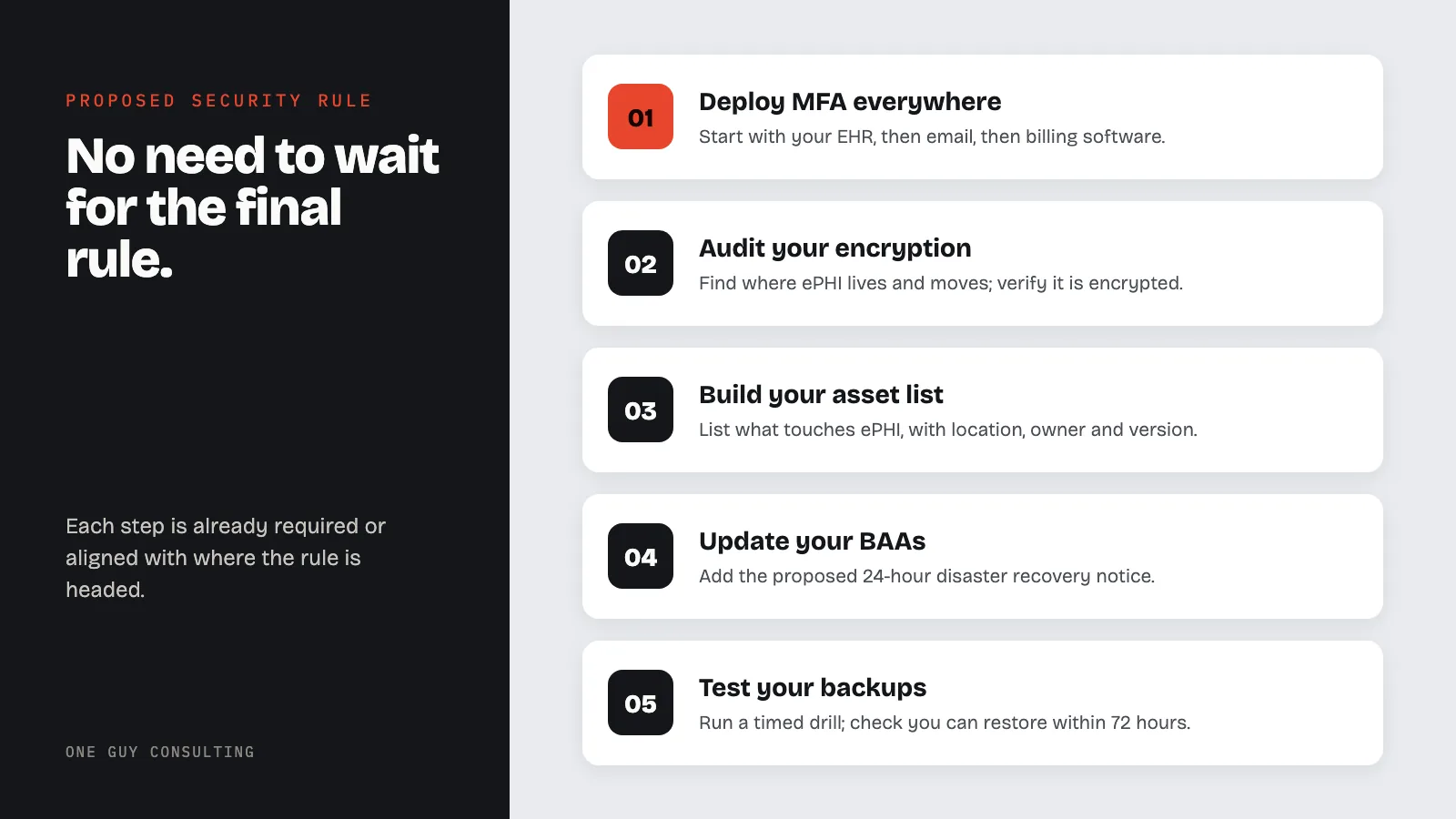
You do not need to wait for the final rule. Everything on this list is either already required under current HIPAA rules or directly aligned with where the rule is headed:
Deploy MFA everywhere. Start with your EHR, then email, then billing software. Most platforms support it natively. Authenticator apps are free. This is the single highest-impact step you can take. Our MFA setup guide walks you through it step by step.
Audit your encryption. Find every place ePHI lives and moves. Verify it is encrypted at rest and in transit. Document any gaps and fix them.
Build your asset list. List every device, system, and application that touches ePHI. Include location, owner, and version. This becomes a living record you keep up to date.
Draw your network map. Show how ePHI flows through your systems and out to vendors. If you cannot draw it, you do not understand it, and you cannot secure it.
Update your BAAs. Add a clause for the proposed 24-hour notice: the vendor tells you within 24 hours of starting its disaster recovery plan. Add the yearly verification too. Start with your most critical vendors. Do not make the BAA mistakes that leave you exposed when a vendor gets hacked.
Test your backups. Run an actual recovery drill. Time it. Can you restore critical systems within 72 hours? If not, that is your priority.
Budget now. Whatever this costs, it costs less than a breach. The compliance investment is the cheaper option compared to the fines OCR handed out in 2025.
The Bottom Line
The proposed HIPAA Security Rule update would be the most significant healthcare cybersecurity rule in over a decade. If finalized, it would eliminate the addressable loophole, mandate MFA and encryption, require annual risk analyses and compliance audits, and hold business associates to documented verification standards.
The timeline is tight. HHS now targets July 2027 for a final rule. You would then have about 240 days to comply. Organizations that start preparing now will be better positioned to meet the deadline. Organizations that wait will have less time to close gaps.
The rules are catching up to the threats. Make sure your practice keeps up with both.
Key stat: The proposed Security Rule changes include mandatory encryption for all ePHI, 72-hour system restoration requirements, annual penetration testing, and technology asset inventories. If finalized, these would represent the most significant expansion of HIPAA technical requirements since the Security Rule was first published in 2003.
Sources
- 45 CFR Part 164: Security and Privacy Rules
- HHS Security Rule Guidance
- Federal Register: HIPAA Security Rule NPRM (January 6, 2025)
Regulatory Updates
Related Reading
- MFA Is About to Be Required for HIPAA: A Plain-English Guide
- Why Addressable Does Not Mean Optional: The HIPAA Myth That Gets Practices Fined
- How to Run a Risk Assessment That Will Not Get You Fined
- The Change Healthcare Breach One Year Later: Lessons for Every Practice
- HIPAA Fines Just Went Up: New Penalty Amounts
Need help getting ready for the proposed Security Rule? One Guy Consulting gives practices of all sizes a Security Risk Assessment tool, policy templates, and vendor management with digital BAAs. Get started, or try our risk assessment tool.
Related: What Is HIPAA Certification? Why It Does Not Exist Under Federal Law
Try three One Guy Consulting 3D staff training courses free →
Frequently Asked Questions
What are the major proposed HIPAA Security Rule changes?
HHS proposed this update on January 6, 2025 (90 FR 898). It has seven major changes. They are: required multi-factor authentication (MFA); required encryption of electronic patient data, both stored and being sent; a risk analysis every 12 months; a written list of your technology and a map of your network; restoring critical systems within 72 hours; a yearly compliance audit; and yearly written verification from business associates (vendors that handle patient data for you). It is not final.
Is MFA required under the proposed HIPAA Security Rule?
Yes, as proposed. The proposed update would require covered entities and business associates to deploy multi-factor authentication on all technology assets in their relevant electronic information systems, with limited exceptions. The proposal is not final, and the current Security Rule does not name MFA.
How often would a HIPAA risk assessment be required under the proposed rule?
The proposed update would require the written risk assessment to be reviewed, verified, and updated at least once every 12 months, and in response to changes in the environment or operations that may affect ePHI. The current rule sets no yearly interval; it requires documentation to be reviewed periodically and updated as needed (45 CFR 164.316(b)(2)(iii)).
When would the proposed HIPAA Security Rule changes take effect?
Only after HHS publishes a final rule, which it has not done. As proposed, a final rule would take effect 60 days after publication, and covered entities and business associates would have 180 days after that to comply, 240 days in all. Organizations can review their current safeguards against the proposed requirements now.
What happens if an organization does not comply with the HIPAA Security Rule?
Breaking the current Security Rule can lead to OCR fines (civil money penalties) of $145 to $2,190,294 per violation. The yearly cap for repeats of the same violation is $2,190,294. These are the 2025 inflation-adjusted amounts in 45 CFR 102.3. The amount depends on the tier. One factor is willful neglect, which means a conscious or reckless failure to comply. The proposed changes cannot be enforced unless a final rule is published and its compliance date passes.